Start with a small story
Stop-motion animation creates the appearance of movement from a series of still photos. You take a picture, move something slightly, take another picture and repeat. When the pictures play in sequence, a paper character can walk across a desk or a toy can appear to build a tower. Your first video does not need an elaborate plot. One clear action is enough.
Choose an idea you can finish in one sitting: a pencil rolling toward a notebook, a snack arranging itself on a plate or a cutout waving hello. Sketch three moments—the beginning, the change and the ending. Then decide what needs to move in each shot. If several things move at once, it may be harder to keep track of them, so try animating one main subject first.
Gather your materials before you begin. Paper shapes, blocks, clay and household objects can all work. If you plan to photograph someone else’s belongings or include another person in the video, ask first. A simple project with materials you already have gives you more time to experiment with the animation itself.
Set up a scene that stays consistent
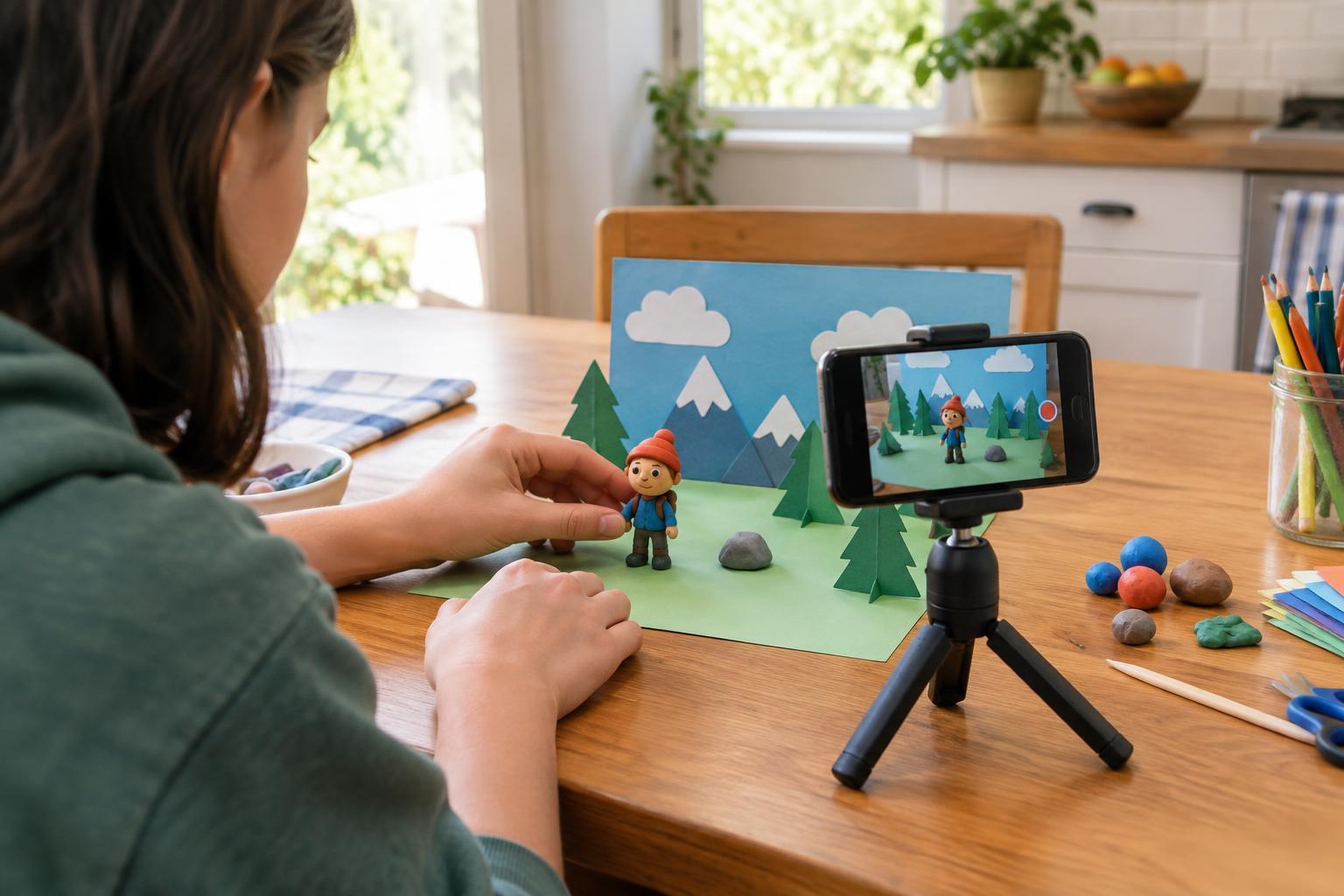
A steady phone makes a big difference. Rest it against a stack of books or use a phone stand, and check that it cannot slide or fall. Keep the camera in the same position until you finish the scene. If your phone’s camera has grid lines, they can help you notice when the framing changes. Leave enough room around your subject for its full movement.
Use a plain background so the action is easy to see. A sheet of paper can become a floor, a wall or both. Light the scene with a lamp or daylight, but try not to change the lighting halfway through. Shadows may shift if you move between the light and the subject, so stand in roughly the same place when taking each photo. Before starting, take a few test shots and check that your subject is in focus.
Keep your workspace comfortable and safe. Put cords where they will not be tripped over, and avoid balancing a phone or lamp where it might fall. If you are working at a shared table, let others know that the setup needs to stay in place for a while.
Move, photograph and repeat
Take your first photo before moving anything. Then shift the subject a small amount and take the next one. Small, consistent moves usually look smoother than big jumps, though a sudden jump can be a deliberate comic effect. For a paper character, you might move a foot, then the body, then the other foot. Watch for accidental changes to the background, such as a block that gets nudged or a hand left in the frame.
Make a short test sequence and play it back before committing to the whole story. If the action moves too quickly, use smaller changes or add more photos between positions. If it feels too slow, you can remove some photos later. You do not have to get every frame perfect: a small wobble may add personality. The goal is to make the action understandable.
Some camera or editing apps offer a stop-motion mode that shows a faint image of the previous frame. This can help you judge how far you have moved an object, but it is optional. You can also take photos with your regular camera and assemble them afterward.
Edit for a clear beginning and ending
Import your photos into an app that can play images in order, or use a stop-motion app to capture and edit them together. Put the frames in sequence and preview the result. Remove blurry or accidental shots, but check whether deleting one creates an awkward leap. Adjust playback speed until viewers have time to understand the action. A brief pause at the start and end can make a tiny story feel complete; you can create one by repeating the first or last image.
Sound is optional. You could record your own taps, footsteps or narration, or let the images speak for themselves. If you add music or images made by someone else, use material you have permission to include, especially if you plan to share the video. Save a copy of the finished version, and consider keeping the original photos in case you want to edit it again.
Share it thoughtfully and try another version
Before showing or posting your video, watch it once for things you did not intend to reveal, such as a name on a notebook or a personal photo in the background. If other people appear or their voices can be heard, check that they are comfortable with how the video will be shared. You can also keep the finished piece just for yourself or show it to a small group.
After your first attempt, choose one thing to improve. You might steady the phone, make smaller movements or give the ending a stronger payoff. Stop-motion rewards patience, but it also leaves room for surprises. A short finished video teaches you more about your process than a complicated idea that never gets filmed.